Okay, a quick Q and A.
What is this / What is it for?
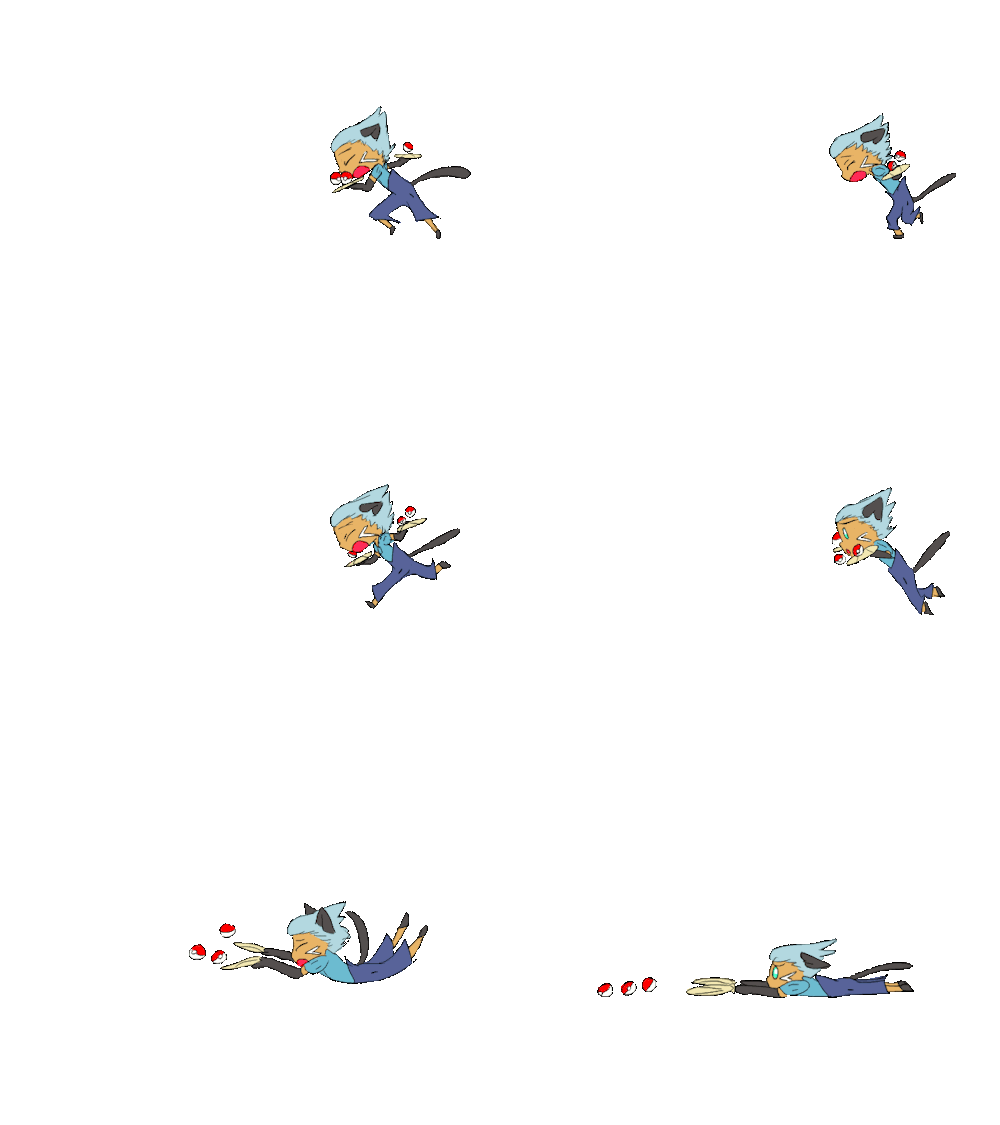
This is a meme called Smooooch ・∀・ that I drew the male characters of a group called Pokemon Gijinka Revolution doing. Pokemon Gijinka Revolution, or PGR for short, is a roleplay group I'm part of, so this was made entirely for fun using my and my fellow rp-ers' characters.
What Pokemon are in this?
In order of appearance, the characters are (along with their creators from TheOtaku.com):
Glyph the Gligar (designed by me)
Delin the Zweilous (xNotUnderstood)
Raimundo the Raichu (Toyotami Kun)
Xio the Luxray (Team Plasma N)
Aberius the Absol (Kitty K.O.)
Arc the Arcanine (SaiKat)
Nyarth the Meowth (Eneko)
Patrick the Purrloin (Clueless101)
Lux the Luxray (Team Plasma N)
Luca the Lucario (SaiKat)
Dustin the Dustox (Prominence)
Tanner the Tangrowth (Animelover7310)
Finn the -photo bombing- Flareon (me)
Hon the Houndoom (Dutch13)
Dwayne the Dewott (Prominence)
Moyasu the -shiny- Flareon (xXShayde WolfXx)
How long did it take to make?
This took about one month all together.
How did you make it?
I drew it frame by frame in a free downloadable art program called GIMP. Think flip books, except on the computer.
After drawing all the scenes, I put it into moviemaker 6.0, added the music, and saved it.
I didn't trace nor did I use pre made stencils. This was all from scratch.
Do you have any tips for someone who wants to try animating, but doesn't have the money to buy an animation program?
I will once again point you to GIMP which can be downloaded for free here: http://www.gimp.org/downloads/
Now, it isn't the best for animating, but it is a great program for drawing, especially for those lacking funds.
Gimp can essentially only make animations flip book style, where each layer is a new page. Saving it as a gif (making sure to click 'save as animation') will play the frames rapidly, thus giving the effect of movement.
The best way to learn how to handle GIMP is to play around with it, however for newbie gif makers, this is the method I use to make gifs.
1.) Draw your first frame/page. Create a new layer to be your second frame/page.
2.) Set the opacity of the first frame to about 50% (Opacity can be found on the layers dock. If you accidentally exited your layers dock, you can open it again by clicking Windows->layers)
3.) on your new layer, begin drawing the next part of your animation, using the previous frame as a guide. This will help you keep the frames consistent size wise as well as help keep your animations smooth.
4.) Once you've completed your second frame, set the opacity of your first frame back to 100%, then make it invisible. Set your new frame to opacity 50%, and start drawing your 3rd frame.
5.) Rinse and repeat until completed.
Once you have gifs, put them in Windows Movie Maker 6.0 (NOT live movie maker. You will have to download the older version, as the one that comes with Windows 7 does NOT support gifs). You can add music, titles, credits, etc. Then publish it and you're good to go.
NOTE: I personally find it easier to create animations in 'scenes', using a bunch of short gifs rather than drawing the entire animation in one gif. This way, it is easier to fix a drawing mistake, faster to load, and you can lengthen/shorten individual scenes as needed.
~~
And no, I'm not a patient person. I get easily bored and it is not unheard of for me to abandon some of my art projects. The only thing that keeps me going while animating is playing back what I've done so far. There is nothing more satisfying then watching your completed animation run.
If you have any questions, feel free to ask!
Comments are greatly appreciated as well.
Okay, a quick Q and A.
What is this / What is it for?
This is a meme called Smooooch ・∀・ that I drew the male characters of a group called Pokemon Gijinka Revolution doing. Pokemon Gijinka Revolution, or PGR for short, is a roleplay group I'm part of, so this was made entirely for fun using my and my fellow rp-ers' characters.
What Pokemon are in this?
In order of appearance, the characters are (along with their creators from TheOtaku.com):
Glyph the Gligar (designed by me)
Delin the Zweilous (xNotUnderstood)
Raimundo the Raichu (Toyotami Kun)
Xio the Luxray (Team Plasma N)
Aberius the Absol (Kitty K.O.)
Arc the Arcanine (SaiKat)
Nyarth the Meowth (Eneko)
Patrick the Purrloin (Clueless101)
Lux the Luxray (Team Plasma N)
Luca the Lucario (SaiKat)
Dustin the Dustox (Prominence)
Tanner the Tangrowth (Animelover7310)
Finn the -photo bombing- Flareon (me)
Hon the Houndoom (Dutch13)
Dwayne the Dewott (Prominence)
Moyasu the -shiny- Flareon (xXShayde WolfXx)
How long did it take to make?
This took about one month all together.
How did you make it?
I drew it frame by frame in a free downloadable art program called GIMP. Think flip books, except on the computer.
After drawing all the scenes, I put it into moviemaker 6.0, added the music, and saved it.
I didn't trace nor did I use pre made stencils. This was all from scratch.
Do you have any tips for someone who wants to try animating, but doesn't have the money to buy an animation program?
I will once again point you to GIMP which can be downloaded for free here: http://www.gimp.org/downloads/
Now, it isn't the best for animating, but it is a great program for drawing, especially for those lacking funds.
Gimp can essentially only make animations flip book style, where each layer is a new page. Saving it as a gif (making sure to click 'save as animation') will play the frames rapidly, thus giving the effect of movement.
The best way to learn how to handle GIMP is to play around with it, however for newbie gif makers, this is the method I use to make gifs.
1.) Draw your first frame/page. Create a new layer to be your second frame/page.
2.) Set the opacity of the first frame to about 50% (Opacity can be found on the layers dock. If you accidentally exited your layers dock, you can open it again by clicking Windows->layers)
3.) on your new layer, begin drawing the next part of your animation, using the previous frame as a guide. This will help you keep the frames consistent size wise as well as help keep your animations smooth.
4.) Once you've completed your second frame, set the opacity of your first frame back to 100%, then make it invisible. Set your new frame to opacity 50%, and start drawing your 3rd frame.
5.) Rinse and repeat until completed.
Once you have gifs, put them in Windows Movie Maker 6.0 (NOT live movie maker. You will have to download the older version, as the one that comes with Windows 7 does NOT support gifs). You can add music, titles, credits, etc. Then publish it and you're good to go.
NOTE: I personally find it easier to create animations in 'scenes', using a bunch of short gifs rather than drawing the entire animation in one gif. This way, it is easier to fix a drawing mistake, faster to load, and you can lengthen/shorten individual scenes as needed.
~~
And no, I'm not a patient person. I get easily bored and it is not unheard of for me to abandon some of my art projects. The only thing that keeps me going while animating is playing back what I've done so far. There is nothing more satisfying then watching your completed animation run.
If you have any questions, feel free to ask!
Comments are greatly appreciated as well.
--------------------
|


 User Notice




 SamB is Offline
| ID: 611436 | 35 Words
SamB is Offline
| ID: 611436 | 35 Words
 SamB is Offline


 )
) TimothyDrake is Offline
| ID: 814286 | 104 Words
TimothyDrake is Offline
| ID: 814286 | 104 Words
 TimothyDrake is Offline