About   Users   Help
Users & Guests Online
On Page: 1
Directory: 2 & 99
Entire Site: 5 & 1204
Page Staff: tgags123, pokemon x, tgags123, supercool22, SonicOlmstead, Barathemos, Furret,
05-10-26 12:52 AM

Thread Information

Views
51,930
Replies
7
Rating
0
Status
CLOSED
Thread
Creator
Nikushimi
01-31-12 02:43 PM
Last
Post
fireblast8422
03-06-13 09:49 AM
System
Rating
9.2
Additional Thread Details
Views: 26,925
Today: 0
Users: 10 unique
Last User View
10-26-18
AwesomeGamer1.

Thread Actions

Thread Closed
New Thread
New Poll
Order
 

Umm, How do you spin??

 
Game's Ratings
Overall
Graphics
Sound
Addictiveness
Depth
Story
Difficulty
Average User Score
9.2
8.4
8.9
8.2
7.1
6.7
6.4

01-31-12 02:43 PM
Nikushimi is Offline
| ID: 537970 | 104 Words

Nikushimi
Level: 22

POSTS: 2/81
POST EXP: 11150
LVL EXP: 52706
CP: 286.1
VIZ: 31202

Likes: 0  Dislikes: 0
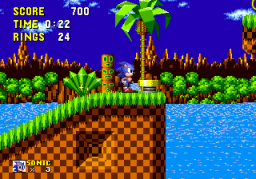
Hello there, I am curious if anyone knows how to make sonic spin. I know how, it is just that he doesn't spin. I press down and then the button that should make him start spinning but he just jumps up in a ball. It is kinda annoying. Also, while on this subject I cannot change the controls via the menu. I double click to bring the menu up and when I try to change any of the keys (Cause I thought that might fix me not being able to spin) it just freezes and then the RGR plugin crashes. Please help. Thanks.

--------------------
Member

Affected by 'Laziness Syndrome'

Registered: 01-16-12
Last Post: 3789 days
Last Active: 3594 days

01-31-12 02:45 PM
JoshPokemon is Offline
| ID: 537972 | 18 Words

JoshPokemon
Level: 25


POSTS: 70/106
POST EXP: 3304
LVL EXP: 80228
CP: 0.0
VIZ: 6247

Likes: 0  Dislikes: 0
That is strange. That hasn't happened to me before, ask Davideo7 and he should reply saying the answer

--------------------
Member

Affected by 'Laziness Syndrome'

Registered: 07-23-11
Location: Australia
Last Post: 5207 days
Last Active: 5148 days

01-31-12 03:24 PM
tRIUNE is Offline
| ID: 538017 | 12 Words

tRIUNE
Level: 195


POSTS: 3137/12374
POST EXP: 624776
LVL EXP: 104954315
CP: 241072.3
VIZ: 7097791

Likes: 0  Dislikes: 0
As far as I know that spin wasn't in the first sonic.

--------------------
Vizzed Elite
Former Admin

Hero of Hyrule


Affected by 'Laziness Syndrome'

Registered: 06-09-10
Last Post: 1711 days
Last Active: 1689 days

01-31-12 03:25 PM
YourMajestyKen is Offline
| ID: 538019 | 119 Words

YourMajestyKen
Level: 209


POSTS: 12757/14514
POST EXP: 421681
LVL EXP: 132006421
CP: 6747.1
VIZ: 323204

Likes: 0  Dislikes: 0
To answer your "spinning" question....Sonic is unable to spin in the first Sonic game. It is the second game and above where Sonic is able to spin. I thought the same, playing this game a few days ago and someone answered exactly as I answered your question. As for your other question, that is strange. To change the controls in the games, usually double clicking works. The kind of browser you use has a lot to do with the way some games run as well. My advice, use Google Chrome to play the games, it works best for me.

PS. David is a busy man so don't ask him. This thread is fair enough to get your questions answered.
To answer your "spinning" question....Sonic is unable to spin in the first Sonic game. It is the second game and above where Sonic is able to spin. I thought the same, playing this game a few days ago and someone answered exactly as I answered your question. As for your other question, that is strange. To change the controls in the games, usually double clicking works. The kind of browser you use has a lot to do with the way some games run as well. My advice, use Google Chrome to play the games, it works best for me.

PS. David is a busy man so don't ask him. This thread is fair enough to get your questions answered.

--------------------
Vizzed Elite
WINNER of February 2011 VCS! WINNER of June 2011 VCS! WINNER of October 2011 VCS!


Affected by 'Laziness Syndrome'

Registered: 10-01-10
Location: The Heart Of New York City
Last Post: 3601 days
Last Active: 1053 days

01-31-12 07:05 PM
Nikushimi is Offline
| ID: 538184 | 81 Words

Nikushimi
Level: 22

POSTS: 3/81
POST EXP: 11150
LVL EXP: 52706
CP: 286.1
VIZ: 31202

Likes: 0  Dislikes: 0
Really? Thought he spun in all of them. Anyways, I am using google chrome as my browser to play the games in. I double click when the game comes up and the controls config menu pops up and when I click on the redefine key and tells me to press a button for what action I want it just freezes and then crashes the game saying that the RGR plugin has crashed or something like that. Thanks for the help.

--------------------
Member

Affected by 'Laziness Syndrome'

Registered: 01-16-12
Last Post: 3789 days
Last Active: 3594 days

02-01-12 09:43 AM
jerryaberry is Offline
| ID: 538429 | 69 Words

jerryaberry
Level: 29

POSTS: 5/155
POST EXP: 9232
LVL EXP: 140264
CP: 4433.9
VIZ: 858188

Likes: 0  Dislikes: 0
After playing the other Sonic games I did the same thing, hold down and press the buttons but to no avail. You can spin but you need to be moving first then press down. It's the only way to use some major shortcuts and find lots of cool stuff in this version. This does mean however you cannot use it to scale high quarter pipes like the other versions.   
 
After playing the other Sonic games I did the same thing, hold down and press the buttons but to no avail. You can spin but you need to be moving first then press down. It's the only way to use some major shortcuts and find lots of cool stuff in this version. This does mean however you cannot use it to scale high quarter pipes like the other versions.   
 

--------------------
Trusted Member

Affected by 'Laziness Syndrome'

Registered: 11-21-11
Location: Arlington, TX
Last Post: 3566 days
Last Active: 144 days

08-18-12 12:20 PM
ScarTheScarab is Offline
| ID: 636850 | 50 Words

ScarTheScarab
bananaeater99
Level: 25


POSTS: 3/116
POST EXP: 16093
LVL EXP: 88916
CP: 4181.1
VIZ: 187692

Likes: 0  Dislikes: 0
sonic the hedgehog genesis, sonic the hedgehog game gear/master system, sonic the hedgehog 2 game gear/ master system. Each of these games have not made the spin dash move. Instead you have to run fast then press down to start rolling, I know everyone knows this, I'm just telling this

--------------------
Member

Affected by 'Laziness Syndrome'

Registered: 06-26-12
Last Post: 1683 days
Last Active: 480 days

03-06-13 09:49 AM
fireblast8422 is Offline
| ID: 750346 | 28 Words

fireblast8422
Level: 9

POSTS: 10/11
POST EXP: 627
LVL EXP: 2598
CP: 20.7
VIZ: 113

Likes: 0  Dislikes: 0
He can spin, he just cant charge it like he can sonic 2 to spin in sonic 1 gain some speed and press down to make him spin

--------------------
Member

Affected by 'Laziness Syndrome'

Registered: 06-18-12
Last Post: 4800 days
Last Active: 4586 days

Page Comments

Dove4JS - 12-12-20 05:26 AM
no image
joldboy70 - 07-10-20 11:13 AM
test
joldboy70 - 07-10-20 11:12 AM
test
savage23157 - 04-08-20 01:33 PM
Hi im new vizzed
zokuza - 11-18-19 09:08 AM
final got playstaion games unlock yes baby digimon world here i com
yoshirulez! - 02-10-17 08:45 PM
MAY MAYS
yoshirulez! - 02-10-17 08:45 PM
maymays
yoshirulez! - 02-07-17 11:13 PM
OwO what's this?
yoshirulez! - 02-07-17 11:13 PM
OwO what's this?
yoshirulez! - 02-07-17 11:13 PM
OwO what's this?

Adblocker detected!

Vizzed.com is very expensive to keep alive! The Ads pay for the servers.

Vizzed has 3 TB worth of games and 1 TB worth of music.  This site is free to use but the ads barely pay for the monthly server fees.  If too many more people use ad block, the site cannot survive.

We prioritize the community over the site profits.  This is why we avoid using annoying (but high paying) ads like most other sites which include popups, obnoxious sounds and animations, malware, and other forms of intrusiveness.  We'll do our part to never resort to these types of ads, please do your part by helping support this site by adding Vizzed.com to your ad blocking whitelist.

×